
CAS Authentication
CAS (Central Authentication Service) is a UNI-based web authentication system for applications that run in a web browser.
Systems like CAS depend on browser redirection. The user makes a browser request to access a protected resource on the web. The request is intercepted by the application serving the resource or by a component in the application's web server. Requests that are unrecognized because they lack an application session are redirected to the authentication service (CAS) and are subsequently redirected back to the application only after a successful authentication. CAS supports multiple authentication protocols, single sign-on (SSO) and multifactor authentication (MFA).
CAS is an open source Java web application. It was originally developed at Yale University in the early 2000's and is now maintained by the Apereo Foundation along with an international community of open-source developers. Columbia's WIND authentication was an early sibling of CAS, and at some points, developers of the two systems collaborated. CAS is widely used in higher education as well as in numerous Fortune 500 companies and non-profits.
Authentication sequence:
- A user with a web browser makes an initial attempt to connect to the application website or entry point, without presenting a service ticket as a request parameter.
- The application detects that the request is not associated with a valid application session and lacks a service ticket parameter and redirects the browser to the CAS Login URL, adding an additional parameter to the request to indicate where the browser should be redirected after successful authentication.
- The user either performs a CAS login using one or more modes of authentication (username/password, Duo push, Apple FaceID, Windows Hello, etc.), or else presents evidence of a single sign-on session. The login may involve multiple steps and in some cases may be passwordless.
- CAS redirects the browser back to the specified destination URL with a single-use service ticket included as a request parameter.
- The application detects the presence of the service ticket and sends a request to the CAS server to validate the service ticket.
- The CAS server sends back a ticket validation response indicating whether the service ticket is valid. Depending on the protocol, the response may also contain information about the authentication and the user. Service tickets are single-use; a given ticket can only be successfully validated once.
- If the CAS response says that the service ticket is valid, the application can assume the user has successfully authenticated.
See this web flow diagram for a visual representation of these steps.
Since CAS is a multi-protocol system, details of some of these steps vary depending on the protocol in use. Columbia's CAS server currently supports four authentication protocols.
Supported:
- CAS 2
- CAS 3
- SAML 1.1
- SAML 2 only requests from Google (other service providers should use Shibboleth.)
Which protocol should you use?
- If you need UNI authentication with no additional attributes other than username (UNI), you can use CAS 2, CAS 3 or SAML 1.1. CAS 2 is the simplest and should be preferred.
- If you need additional user or authentication attributes, use either CAS 3 or SAML 1.1. CAS 3 is simpler and should be preferred.
Differences among the protocols are not generally noticeable to the end user. The user connects to an application with a web browser, is redirected to the CAS login page, and on successful authentication is redirected back to the application. However, there are significant differences in the ticket validation response that are evident to the CAS client:
- CAS 2 ticket validation response
- CAS 3 ticket validation response
- SAML 1.1 ticket validation response
The application controls which protocol is used for login and ticket validation by connecting to CAS with the appropriate URL (Steps 2 and 5, above):
CAS production hostname: cas.columbia.edu
CAS development hostname: casdev.cc.columbia.edu

Login and service ticket validation:

CAS 2:
  https://[cas-hostname]/cas/login?service=[destination-URL]
  https://[cas-hostname]/cas/serviceValidate?service=[destination-URI]&ticket=[service-ticket]

CAS 3:
  https://[cas-hostname]/cas/login?service=[destination-URL]
  https://[cas-hostname]/cas/p3/serviceValidate?service=[destination-URI]&ticket=[service-ticket]

SAML 1.1:
  https://[cas-hostname]/cas/login?TARGET=[destination-URL]
  https://[cas-hostname]/cas/samlValidate?TARGET=[destination-URI]&SAMLArt=[SAML-SOAP-message-with-service-ticket]

Logout:
  https://[cas-hostname]/cas/logout?service=[landing-URL]
In addition to verifying that a user has successfully authenticated with a UNI and password, CAS can provide the following information about the user and the authentication:
Attributes available in the ticket validation response:
Developers who use CAS don't normally write code to implement one of the authentication protocols. Instead, they rely on one of the pre-written CAS clients. A CAS client is a software component that sits between the application and CAS, handling communication among the application, the end-user and the CAS server by implementing one or more of the CAS protocols. The official CAS clients are well-tested, maintained, and documented, and are generally straightforward to use. We strongly recommend using one of these clients rather than writing one yourself.
Java: These Java instructions and sample code describe how to use and configure the widely-distributed Java CAS client.
Python: If you are working in Python, consider using python-cas or Flask-CAS. This sample Python webapp uses Flask-CAS.
Depending on your comfort with the language and the component configuration process (e.g., with tomcat), integration can take as little as 2 hours or as much as two weeks.
It is important to update your CAS client to the latest version to ensure the code includes the latest security fixes.
The default CAS login page looks like this:
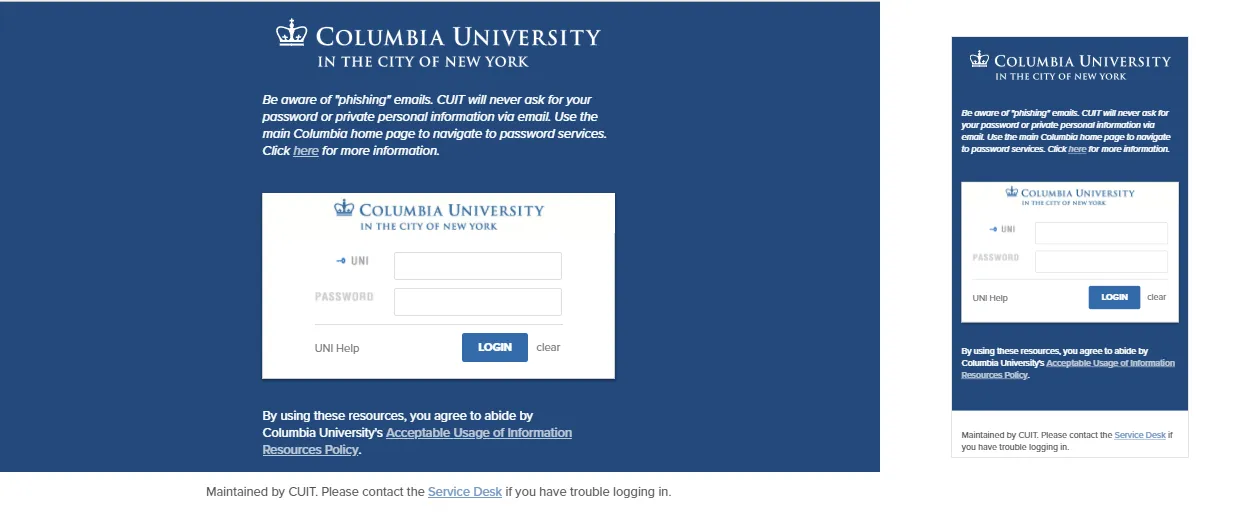
There are three elements on the CAS login page that can be customized:
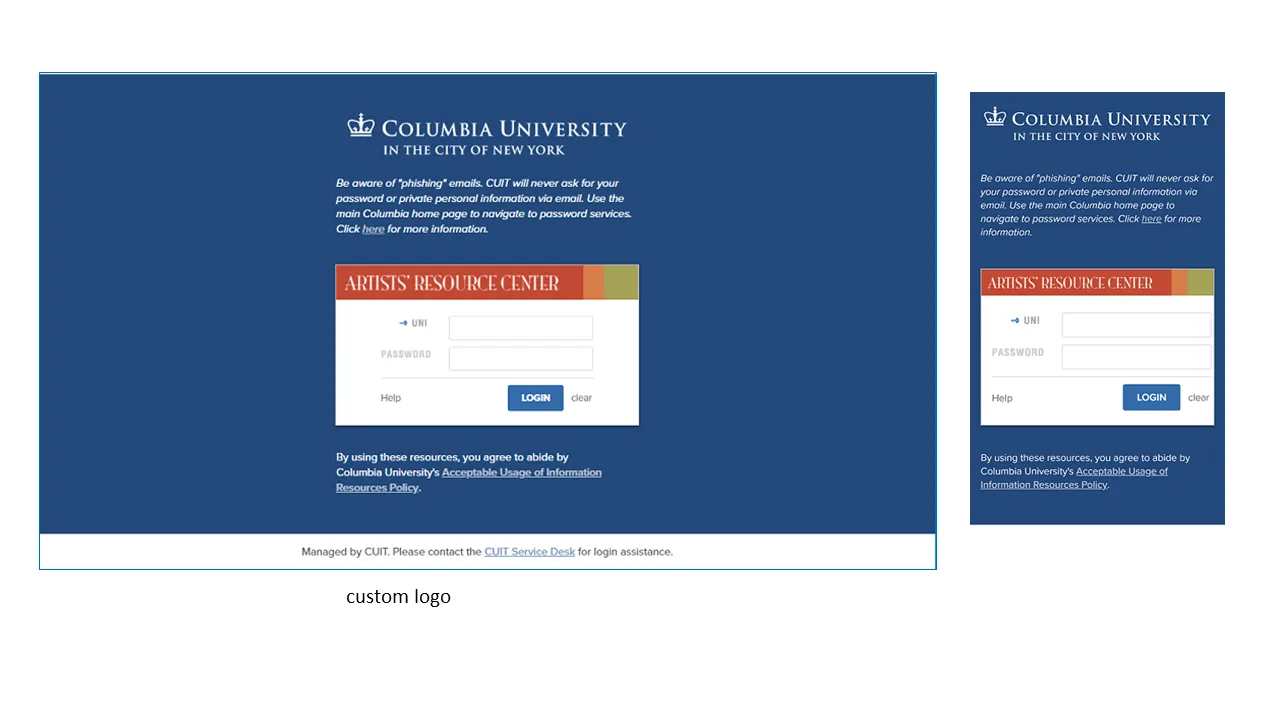
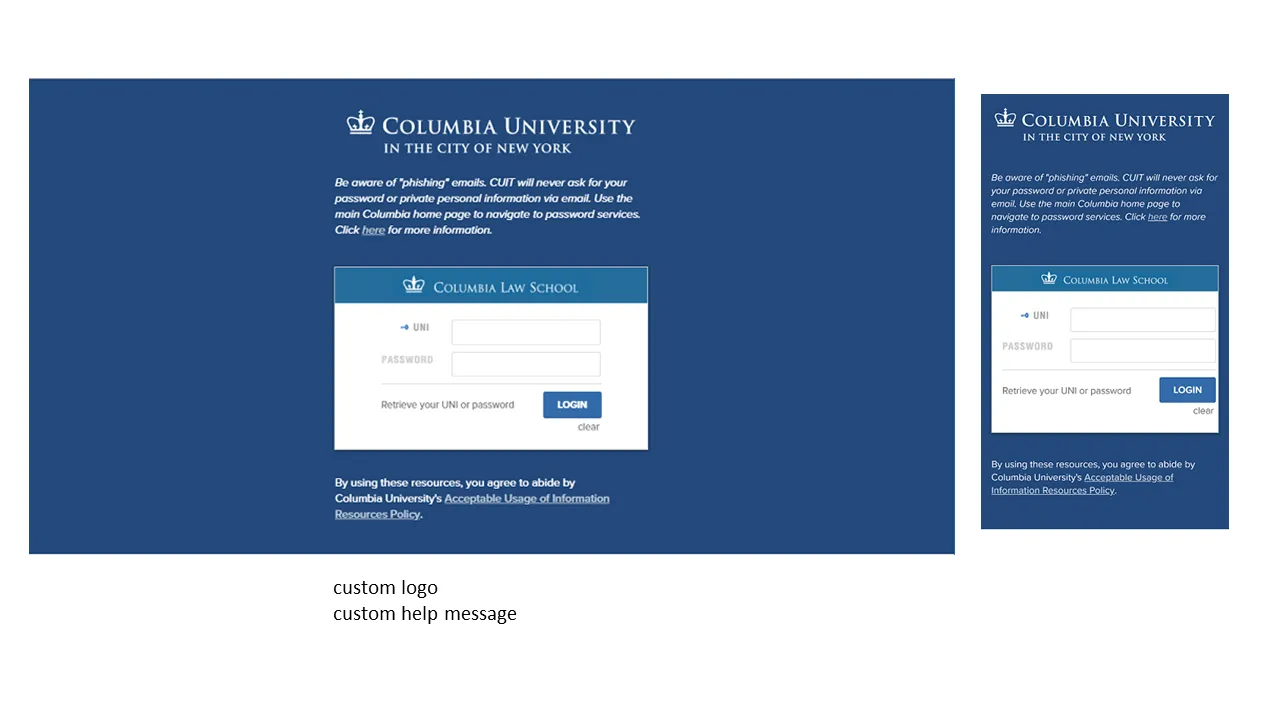
- Custom logo. The logo that is displayed across the top of the inner login box can be replaced with a custom logo in the form of a 440 x 50 pixel image, preferably in GIF format. If you don't supply a logo, the default Columbia CAS logo will be used. It includes a blue crown and the words, "Columbia University in the City of New York," against a white background.
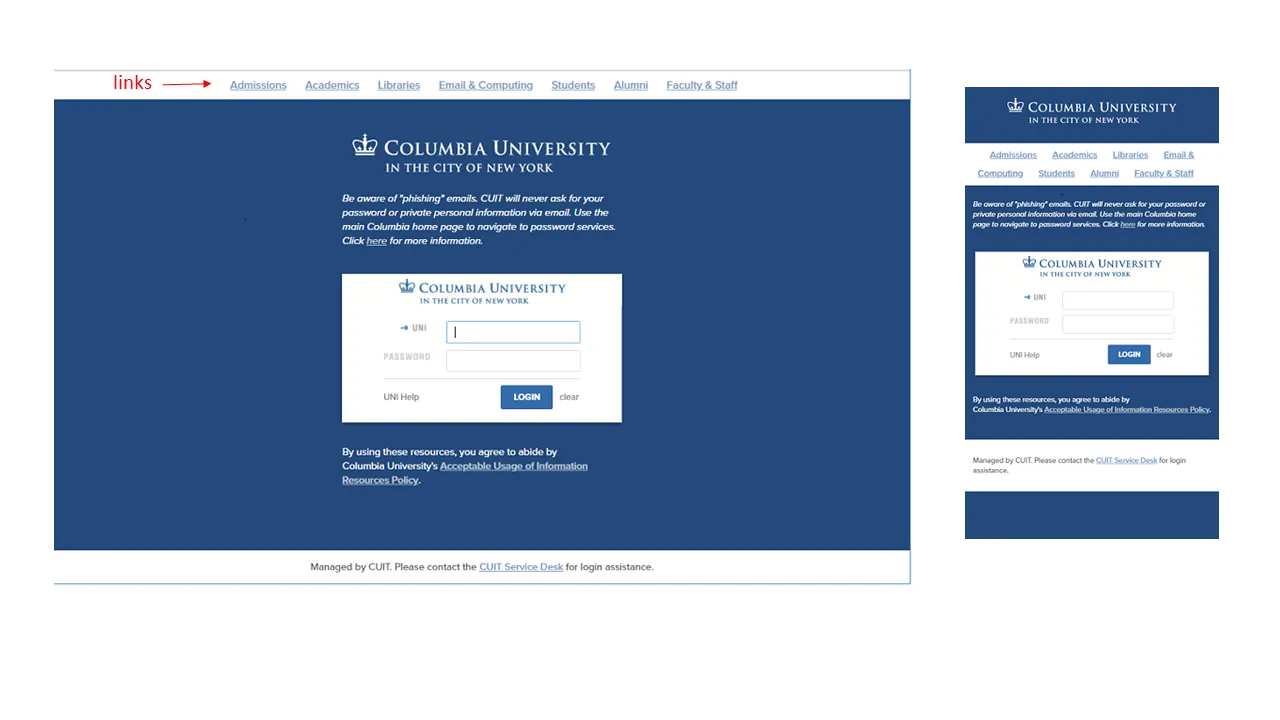
- Custom links. (true/false) A pre-selected list of Columbia links can be displayed across the top of the page. If you don't supply a value, the system will default to no links.
- Help link. A custom help link along with a custom label can be displayed to the left of the "Login" button. The help link is defaulted to the Manage My UNI service, and the label is defaulted to "UNI Help". If you supply a custom help link but no label, the label defaults to simply "Help".
Here are some sample CAS login pages with non-default elements:
Submitting a Request
Before an application can use CAS for authentication, the URLs that you want to use as entry points to your application must first be added to the CAS service registry. This is known as "service registration" and is done in response to a Service Registration Request. In CAS documentation, the protected application URLs are called "services" or sometimes "destinations". The registration request also asks for additional information about the application and its use of CAS, and gives application owners an opportunity to customize some elements of the authentication process.
The following are prerequisites for all CAS service registration requests:
- The application must be owned or operated by Columbia University, or else run for the benefit of a central administrative unit or department of Columbia University.
- The application must perform University business.
- The request must be submitted by a full-time Columbia employee and include the name and email address of one technical contact and one administrative contact, both of whom must also be full-time Columbia employees. These contacts are responsible for ensuring that the application conforms to the University's Acceptable Use of IT Resources (Network and Computing) Policy.
- The application must be reviewed using the University's Information Security Risk Management Program, and if appropriate, registered with the Relational Security Assessment Manager system (RSAM). See the Information Technology and Risk Management department page for more information.
- All registered destinations must use SSL encryption.
To submit a request, create a service request in ServiceNow, copy the Service Registration Request along with your responses into the ServiceNow request, and choose “Identity & Access Management” as the assignment group.
Service Approval
Once the request is complete, it will be reviewed by two members of the Identity and Access Management group, including at least one manager, and checked for secure application practices (e.g., use of SSL) and acceptable use (see the Acceptable Use Policy). If the request is approved, you will be notified that the service has been added to the CAS registry and use of CAS by the application can start.
Expected Turnaround
- Initial request: 1 business day
- Review of completed request: 3 business days
- Review of request with additional user attributes: 7 business days
Changes to a Service Registration
To change a service registration, create a service request in ServiceNow describing the change and choose “Identity & Access Management” as the assignment group. A change to a pre-existing service does not require review and approval unless the change involves an expansion of the rights granted to the service, for example:
- Single sign-on (SSO)
- Release of UNIs
- Release of additional user attributes
Client Obligations
An application using CAS must keep its service registration up to date. This includes removing destination URLs that are no longer in use and keeping service contacts current. When an application is retired, a request must be made to de-register its CAS service.
Applications that use CAS must follow the University's Acceptable Use Policy. An application in violation of this policy may have its service registration disabled.
CAS server hostname:
  cas.columbia.edu (production)
  casdev.cc.columbia.edu (test)

CAS server login URL:
  https://cas.columbia.edu/cas/login (production)
  https://casdev.cc.columbia.edu/cas/login (test)

CAS server logout URL:
  https://cas.columbia.edu/cas/logout (production)
  https://casdev.cc.columbia.edu/cas/logout (test)

ticket validation:

  casServerUrlPrefix:
    https://cas.columbia.edu/cas/ (production)
    https://casdev.cc.columbia.edu/cas/ (test)

  CAS2 protocol:
    validation path:         serviceValidate
    ticketParameterName:     ticket
    serviceParameterName:    service

  CAS3 protocol:
    validation path:         /p3/serviceValidate
    ticketParameterName:     ticket
    serviceParameterName:    service

  SAML 1.1 protocol:
    validation path:         samlValidate
    artifactParameterName:   SAMLArt
    serviceParameterName:    TARGET
    redirectAfterValidation: true
How does CAS SSO work? A user who has established a CAS SSO session can authenticate to any SSO-enabled CAS service without having to re-authenticate, for as long as the SSO session is valid. This is a feature that a service opts into, meaning that it only works for services that have it enabled. Logging into a service that has not enabled SSO forces the user to authenticate even if a valid SSO session exists for that UNI.
SSO session length. A CAS SSO session is valid for a maximum of 60 minutes or 15 minutes of inactivity, whichever occurs first. In this context, activity means a request for a CAS service ticket rather than user entry of keystrokes or mouse clicks. After an SSO session has expired, the next time an application asks CAS to authenticate the user, the user will be required to re-authenticate.
SSO cookie and session scope. When a user logs into CAS, CAS sets a browser cookie with a reference to the CAS SSO session. The cookie is scoped to the CAS hostname and application path, and as a result, the SSO session is limited to the user agent (the browser) and CAS. It is not shared among multiple user agents (for example, between Chrome and Safari.)
Logout.
Logout. When a user logs out of an application, it is often appropriate to redirect the user agent to the CAS logout URL. This will unset the CAS SSO session cookie and force the user to re-authenticate before receiving any more CAS service tickets. In addition, most CAS clients have an option to add a URL to the logout request where the browser will be redirected following the CAS logout. The logout request looks like this:
https://[cas-hostname]/cas/logout?service=[landing-page-URL]
The service parameter value must be registered with CAS before it can be used.
MFA Required. All CAS logins require use of Duo MFA.
Single sign-on (SSO) and Duo Remember me. The CAS SSO session covers all of the CAS login steps, including Duo MFA, and lasts a maximum of 60 minutes. For the duration of a valid CAS SSO session, a user does not have to re-authenticate to gain access to an SSO-enabled service. In contrast, the Duo Remember me option only applies to the Duo authentication and lasts for 24 hours. For the duration of a valid Duo Remember me session, a user does not have to interact with Duo during the CAS login.
Affiliation is a multi-valued user attribute in LDAP. Affiliations can help an application make authorization decisions or customize application behavior. (For more information on other attributes available from CAS, please see the section What can CAS tell my application?)
Identifying which affiliations will satisfy a specific requirement or answer a question about an incoming user can be a crucial step in designing authorization controls for a service. If your service request includes affiliations, please leave time to discuss and verify the selection of affiliations with the Identity and Access Management group.
The Grouper group management tool can be used to create and manage LDAP affiliations. Grouper has built-in "reference groups" that are associated with standard demographic categories. Grouper also enables the control of ad hoc group memberships and their resulting affiliations to be delegated to application administrators.
Here are 2 scenarios that would lend themselves to using affiliations:
Example Scenario 1: Access to a service is limited to only CU and Barnard faculty members. The service administrators also want to give access to members of an ad hoc "allow list."
Example Scenario 2: An application is limited to individuals who are associated with a specific CU department. Additionally, there are different types of access privileges that are assigned according to a set of ad hoc group memberships.
IMPORTANT: CAS itself does not handle the authorization of users for your application. CAS passes affiliations and other attributes to the application, which in turn must be tailored to allow access based upon this user information. The CAS authentication response itself establishes only that the user has successfully established their identity with user name, password, and any other required factor (such as Duo authentication when required).
A request for release of affiliations may also require approval from the data owner(s) such as:
- Office of Alumni and Development
- Barnard College
- Columbia University Registrar (CU student info)
- Columbia University HR (CU employee info)
- Teachers College
- Union Theological Seminary
If your application requires access to user affiliations, be aware that this information is in general considered "private directory information," and the University is legally obligated to protect its confidentiality. Permission to access affiliations must be approved by CUIT and the data owners. The request for such data should be as specific as possible and include a rationale for its release.